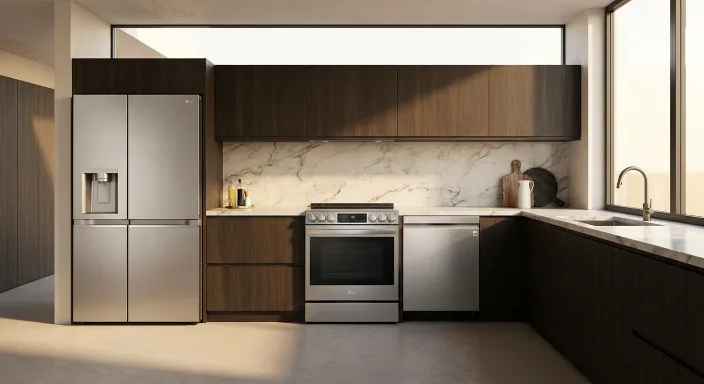
Every Samsung repair comes with certified technicians, quality parts, and a 90-day warranty on labour and parts.

Not cooling evenly
Samsung French-door and side-by-side models use Twin Cooling Plus — two independent evaporators. When the defrost sensor fails, ice builds up on the rear freezer wall while the fridge section warms. Top shelves stay cold; bottom ones don't.
Water pooling under the crisper drawers
Usually a blocked defrost drain. In Samsung models the drain sits behind the rear freezer panel and clogs with ice or debris. Water from the defrost cycle has nowhere to go and ends up under the drawers or on the floor.
Ice maker stopped producing
Samsung RF-series ice makers are known for the ice tray freezing solid. The water inlet valve or ice maker module may have failed, or the fill tube is frozen. Common in models 3–5 years old.
Error codes: OF OF, RF, PC
OF OF means the unit is in demo mode — common after a power outage. RF and PC codes indicate a cooling fan or control board issue and require professional diagnosis to determine which component has failed.
Recent repair · Fairview, Halifax
A client noticed the bottom shelves of their Samsung RF French-door fridge were no longer staying cold, while the freezer seemed fine. They'd already tried unplugging and restarting — it helped briefly, then the problem came back.
Diagnosis & fix
The rear wall of the freezer was completely iced over — a classic sign of defrost sensor failure in Samsung Twin Cooling Plus models. The sensor was replaced, the system manually defrosted, and the fridge reached operating temperature within 3 hours. 90-day warranty applied.
LE or DC error — stops mid-cycle
LE means the motor is overloaded; DC means unbalanced load. Samsung VRT models are sensitive to uneven drum loads. The Hall sensor monitors rotation speed and triggers a stop when something is off.
5E or nF error — not draining or filling
5E is a drain error; nF means no water fill. Common in Samsung AddWash and WF series. The drain pump filter clogs with lint, coins and small items over time, triggering the error.
Leaking from the door
Front-load Samsung models develop door gasket tears, especially on the inner fold that traps moisture. Water appears on the floor during the wash cycle rather than at the end.
Vibrating excessively during spin
Samsung VRT models use a counterbalance system to reduce vibration. When suspension rods wear out, the drum drops slightly and the machine shakes hard at high speed — sometimes moving across the floor.
Recent repair · Clayton Park, Halifax
A Samsung AddWash front-loader was stopping mid-cycle with a DC error. The client had already tried restarting and redistributing the laundry — the error kept returning even on small loads.
Diagnosis & fix
The Hall sensor — which monitors drum rotation speed — had failed, causing the machine to misread drum balance and stop as a precaution. Replaced on the first visit, verified at multiple spin speeds. 90-day warranty applied.
No heat — clothes still damp
The most common cause is a blown thermal fuse — a one-time safety device that cuts power to the heater when the dryer overheats. On Samsung electric dryers it sits on the exhaust duct inside the back panel and cannot reset itself.
tS, tO or hE error — heating fault
tS means the thermistor is shorted; tO means it's open; hE means the heater circuit has failed. Common in Samsung DV series and usually point to a failed thermistor or heating element.
Squealing or thumping during the cycle
Worn drum support rollers or a stretched belt are the usual cause. Samsung dryers use two rear drum rollers and one front bearing — any of them can wear flat and create noise that worsens with each load.
Dryer shuts off before the cycle ends
The moisture sensor strips inside the drum get coated with fabric softener residue and start reading "dry" too early. Common in Samsung DV models used regularly with dryer sheets or liquid softener.
Recent repair · Rockingham, Halifax
A Samsung DV dryer ran full cycles but left clothes consistently damp. The lint trap was clean, no error codes were showing, and the drum was spinning normally.
Diagnosis & fix
The element had failed due to overheating from a partial wall vent blockage. Both were addressed in the same visit — the element replaced and the duct cleared. Fixing only one would have caused the new element to fail again within months. 90-day warranty applied.
5C or OC error — not draining
5C is Samsung's drain error — triggers when the dishwasher can't empty after a cycle. WaterWall and StormWash models clog faster than average due to high-pressure water circulation through the filter.
Dishes not clean — spray arms blocked
Samsung StormWash models use a complex spray arm system. The small nozzles clog with mineral deposits over time, water pressure drops, and dishes come out with residue even on a full wash cycle.
Leaking from the door
The door gasket can harden and crack after a few years, or door alignment can shift — both cause water to escape during the wash cycle. Leaks from the door are almost always the gasket rather than a seal deeper in the machine.
LC or LE error — leak sensor triggered
Samsung dishwashers have a leak sensor in the base pan. Even a small amount of water from a slow internal drip stops the machine mid-cycle. It won't restart until the base pan is completely dry.
Recent repair · Dartmouth Crossing, Dartmouth
A client's Samsung DW dishwasher was leaving water at the bottom of the tub after every cycle. The filter had been cleaned — it was clear — and the machine completed the full cycle without showing error codes.
Diagnosis & fix
The drain pump check valve had failed, allowing water to flow back into the tub after draining. A common failure in Samsung dishwashers after 3–4 years of use. Replaced in one visit, two test cycles confirmed clean drainage. 90-day warranty applied.
Burner won't ignite — clicks but no flame
Samsung gas ranges use sealed burners with electronic igniters. When the igniter electrode gets coated with food debris or moisture, it either clicks constantly or won't spark at all. The burner cap sitting slightly off-centre is the most common cause.
Glass cooktop element not heating
Samsung glass-top and induction models can develop faults in the surface element or the infinite switch that controls power to it. On induction models, the coil itself can fail — the surface stays cool with no error code displayed.
SE or C-d0 error on the display
SE (or 5E) indicates a shorted key on the control panel — often caused by moisture or food debris under the touch surface. C-d0 is a communication error between the main board and the display panel.
Continuous clicking when burners are off
If the igniter keeps clicking after the burner is lit or when all burners are off, moisture has entered the igniter assembly. This is common after cleaning the stovetop with too much water, or after a boil-over.
Recent repair · Spryfield, Halifax
A client called about a Samsung gas range where one burner kept clicking non-stop, even when all burners were off. They'd already cleaned the stovetop thoroughly and the clicking had started right after a boil-over the previous week.
Diagnosis & fix
Moisture from the boil-over had seeped into the spark module and was triggering continuous discharge. The module was dried, tested — one channel had failed — and the switch was replaced. All four burners tested and confirmed working. 90-day warranty applied.
Oven not reaching temperature
Samsung electric ovens most commonly fail at the bake element — the lower heating element that provides the majority of cooking heat. When it burns out, the oven may appear to work (the broil element still heats) but won't reach the set temperature.
Uneven baking — hot spots or underdone results
Samsung Flex Duo and conventional ovens can develop a calibration drift in the oven sensor, causing the actual temperature to differ from the display by 20–50°F. Food burns on one side or stays underdone in the centre.
SE error or control panel not responding
The SE error on Samsung ovens usually indicates a stuck or shorted key on the membrane control panel. It's common on models 4–6 years old where the touchpad surface begins to delaminate or moisture has penetrated around the buttons.
Door not sealing — heat escaping
The oven door gasket on Samsung models can harden, compress or pull away from the door frame after a few years of use. You'll notice heat radiating from around the door during baking, longer cooking times, and the kitchen getting unusually hot.
Recent repair · South End, Halifax
A client contacted us after noticing everything she baked came out underdone in the centre, even when she added extra time. The oven display showed the correct temperature and there were no error codes. She assumed it was a user error until a thermometer showed the actual temperature was 45°F below the setting.
Diagnosis & fix
The oven temperature sensor had drifted significantly — a common failure in Samsung ranges after 3–5 years. The sensor was replaced and the oven recalibrated. A test bake confirmed even heat distribution at the correct temperature. 90-day warranty applied.
Working Hours
Mon – Sun: 7 AM – 11 PM
Your message has been sent successfully. We'll get back to you shortly.
Expect a call within the hour during business hours.